
The Jobs was originally piloted in Bangladesh and subsequently launched in Indonesia, under the brand Kormo Jobs. The platform is now available in India, too
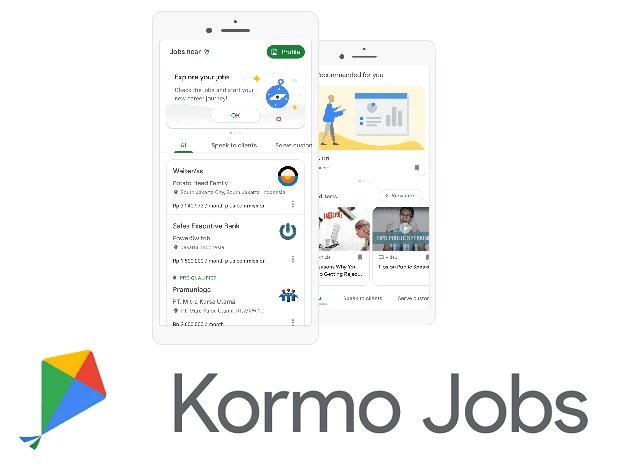
Current Affairs : In 2019, Google introduced ‘Jobs’ Spot on its digital payment app ‘Google Pay’ to help job seekers in India find entry-level jobs. The Jobs was originally piloted in Bangladesh and subsequently launched in Indonesia, under the brand Kormo Jobs. It has since grown into a job platform that can help job seekers and businesses of all sizes. The platform is now available in India, too. It is available as an Android app and Google has also rebranded its Jobs Spot on Google Pay to Kormo Jobs for consistent experience.
How the Google Kormo app works:
The Kormo app is limited to Android devices, therefore, it is available only on Google Play Store to download and use. Here are the steps on how to use the Kormo Android app:
Step 1: Download the Kormo Jobs app from Play Store
Step 2: Open the app and select language. The app is available in 11 languages, including English, Hindi, Gujrati, Bangla and Marathi
Step 3: Sign-in using Google account. The app does not support any other method for sign-in or sign-up
Step 4: Select the type of jobs based on your skillset and preference
Step 5: Select location or allow the app to use location service to find jobs near you. You can change the location setting later, too.
Step 6: Update your profile. You can upload resume, add work experience, education details, references, and language to improve your profile
Step 7: Based on your profile and location preferences, the app shows the jobs and its detailed description
Step 8: Click on the job listing to read more about the job requirements, last date to apply and other details
Step 9: Once you find a relevant job, tap on ‘Apply’ button to share your details and profile with the company for future process
Step 10: You can check all the jobs listing you have applied for through your profile dashboard, under ‘Job Activity’ category
Besides listing available jobs, the Kormo app also offer content to learn new skills. Scroll down on the app’s home page to find ‘Learn new skills’ option and tap on view more to get complete list of available resources that may help one learn a new skill or upskill the existing one.









 Aditi Mehta